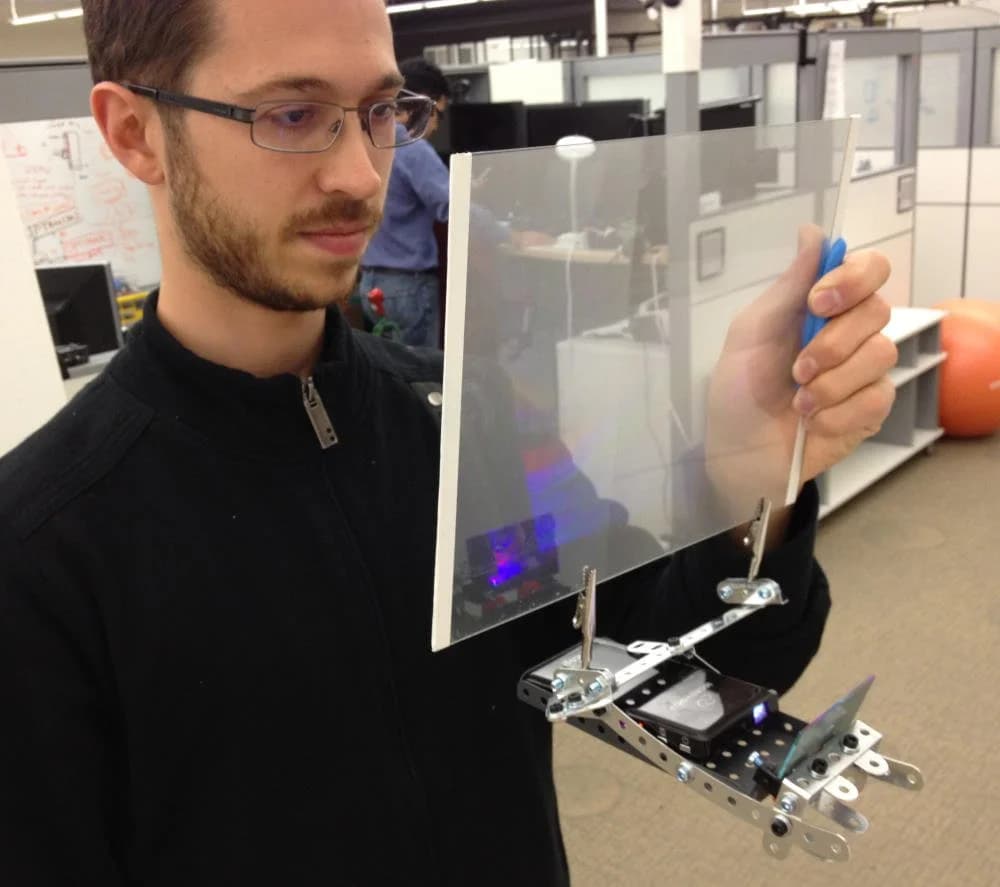
Ghost Fingers
A keyboard with a camera that projects a translucent image of your hands onto a distant screen, so you can type and multi-touch without reaching.
- Company
- HP / Palm
- Year
- 2011
- Role
- Concept, prototype and patent applications · documented in a published research paper
- Team
- Future Concepts and Prototyping team, HP/Palm R&D Center
- Location
- Sunnyvale, CA
Technology
- Micro camera in keyboard
- Hand and finger tracking
- Translucent real-time overlay
- Mode switching (type / touch)
- Remote display interaction
01The opportunity
Multi-touch was spreading from phones to every screen, including screens across the room: TVs and large monitors. You cannot touch a display beyond arm's reach, and a mouse throws away the directness that makes touch good. Keyboards were still the best way to type and the worst way to point.
02The idea
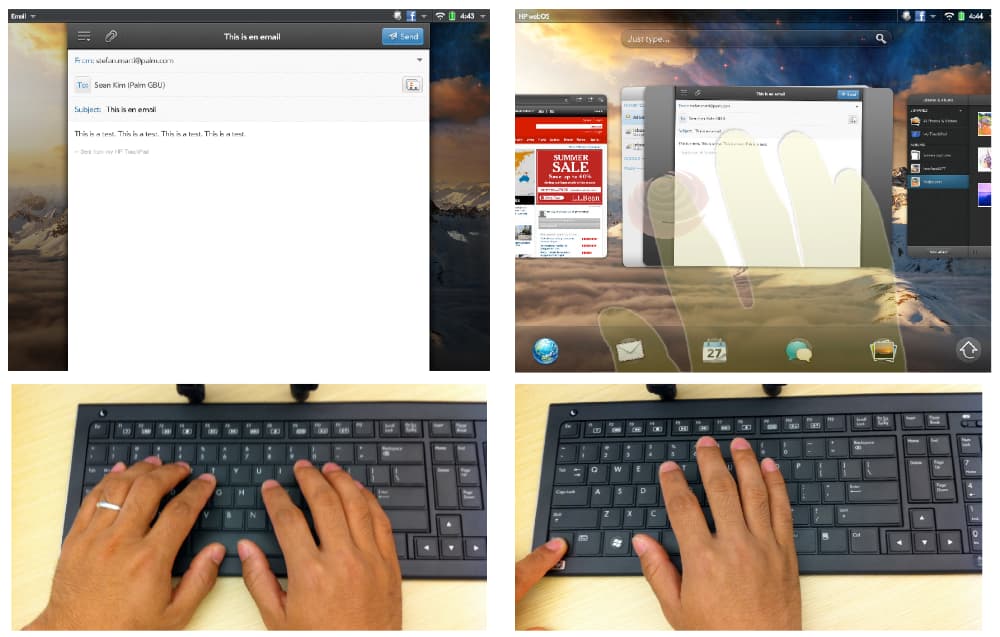
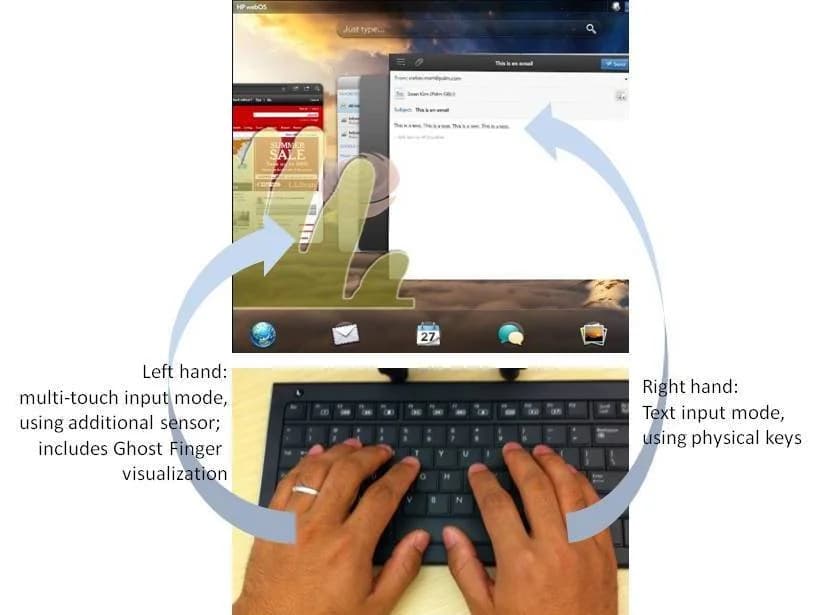
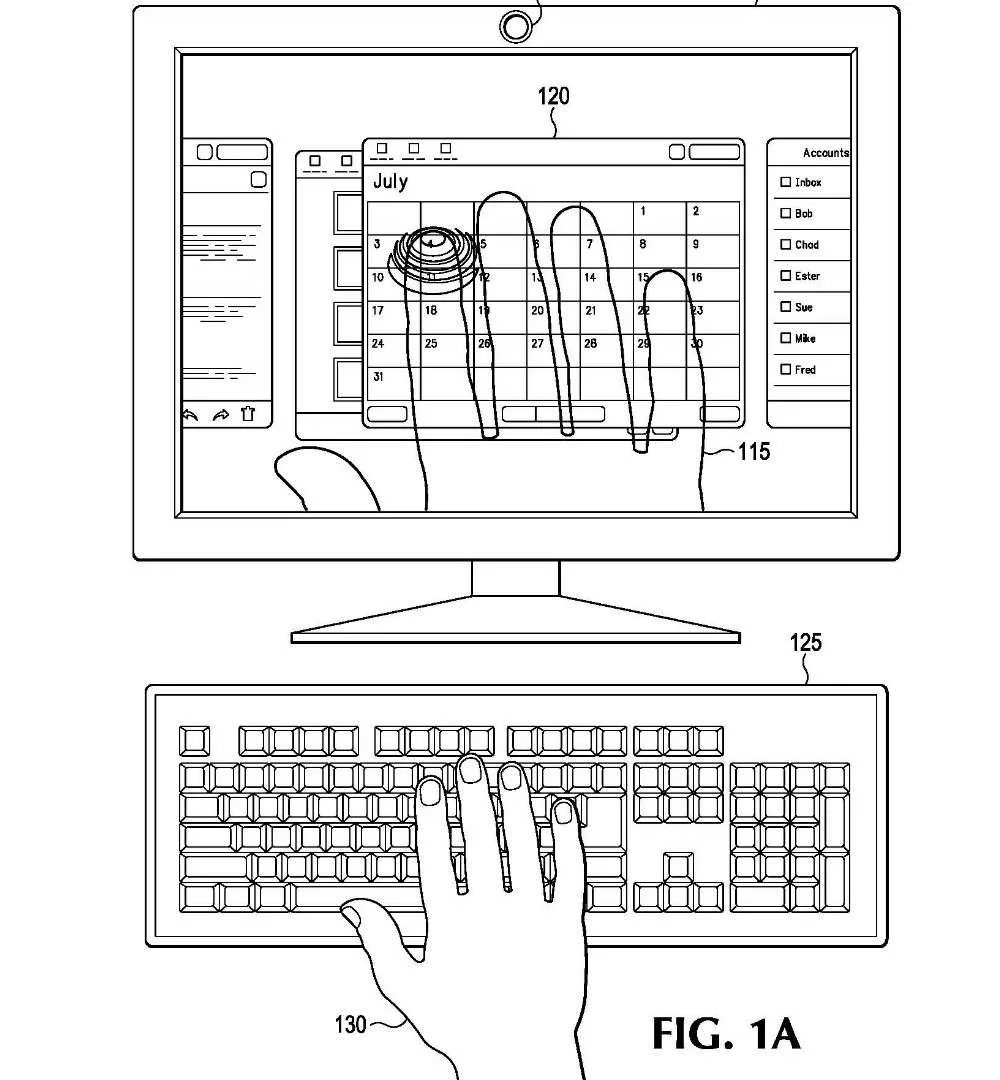
Seamless switching between keyboard input and multi-touch gestures on a display beyond reach. The system shows a translucent, real-time image of the user's fingers and hands over the remote UI, closing the interaction loop so direct manipulation works at a distance. Text input and touch can even happen at the same time, one hand each.
03My role
I developed the concept and the prototypes at HP/Palm and wrote the two patent applications that protected the novel elements; the system was also documented in a published research paper.
04How it worked
A wireless keyboard carries a micro camera facing the keys. The camera tracks hand and finger positions and generates a live, translucent overlay of the fingers on the remote UI. In text-input mode the keyboard behaves normally. Pressing a designated key, for example CTRL, switches to multi-touch mode with finger tracking, and users press icons or manipulate elements on screen without touching the display. Only hands in touch mode are visualized; a typing hand needs no overlay.
05Prototype / product
06Outcome
The prototypes delivered an excellent user experience and the innovations were filed as two patent applications and described in a published paper. The patents were later sold to Qualcomm as part of a larger IP transfer and subsequently abandoned by Qualcomm as a business decision, which makes the concept publicly available for any company that wants to bring it to life.
- Working prototype
- Two patent applications and a published paper
- IP now publicly available
07Patents, press, links
Patents
- US 2013/0257734 A1Use of a sensor to enable touch and type modes for hands of a user via a keyboardFiled 2013